UPWORD
A turn-based word duel for iPhone & iPad
Stack tiles. Multiply points.
Letters land on top of letters — up to three layers high, and every layer multiplies the tile. Cover the T in SITE with a Z and the word becomes SIZE, worth triple.
Free · online duels · practice bots
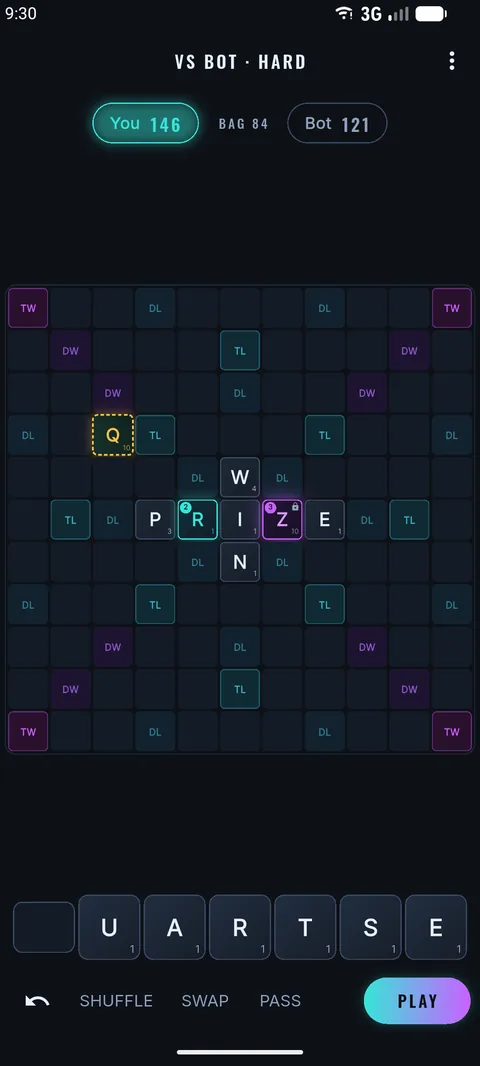
Build upwards
Up to three layers per square. A tile scores its value times the layer it lands on — and a three-high square locks for good.
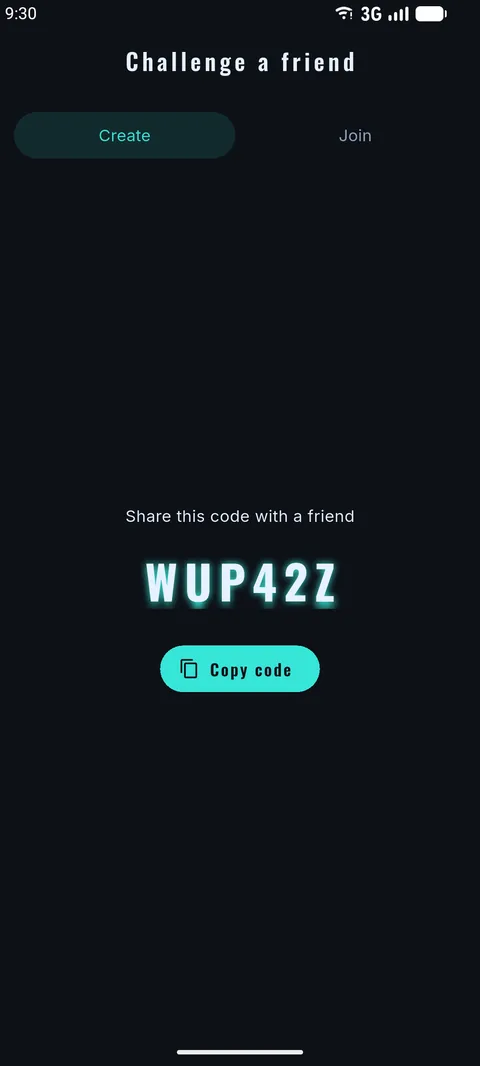
Duel anyone
Share a six-letter code with a friend, or tap Quick Match for an instant opponent. Turn-based — play when it suits you.
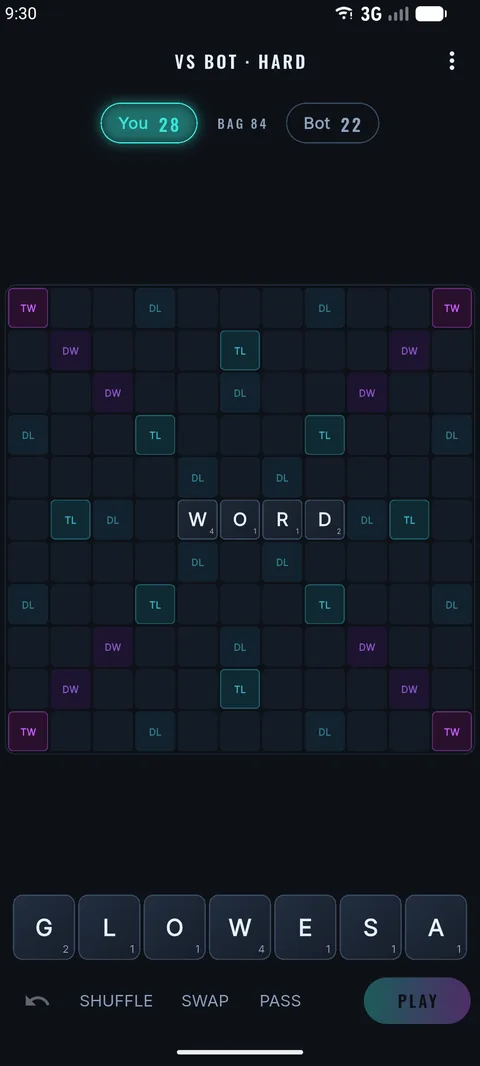
Train offline
Three bot levels, no account, no waiting. Solo games save on your device and pick up where you left off.
Thirteen seconds of stacking, straight from the game.
Support
Need a hand, hit a bug, or have an idea? We read every message and usually reply within a couple of days.
Email supportWhen reporting a problem, it helps to include your device model, iOS version, and what you were doing when it happened.
Frequently asked
How does tile stacking work?
You can place a tile on top of a tile already on the board — up to three layers high. The new letter must differ from the one it covers, and only the top letter counts toward words. A tile scores its value times the layer it lands on (×2 on the second layer, ×3 on the third), and a three-high square locks for the rest of the game.
Do I need an account to play?
No. You can play solo against the bots straight away with no sign-up. Online matches use an automatic anonymous profile plus a username you choose — no email or password required.
How do I challenge a friend?
Tap New game → Challenge a friend to get a six-character invite code, then share it. Your friend enters it under Join and the match begins. Games are turn-based, so you can each play whenever it suits you.
I bought Remove Ads — how do I restore it on a new device?
Remove Ads is a one-time purchase tied to your Apple ID. On a new device, open Settings inside the app and choose Restore purchases, or simply re-tap Remove Ads — Apple will recognise you already own it and won't charge you again.
How do I delete a game?
On the home screen, tap the bin icon on any game card to remove it.
Privacy Policy
Last updated 22 July 2026
UpWord is designed to be playable with as little personal data as possible. You can play the entire single-player game without an account and without sharing anything. This policy explains what is collected when you use the app's online and free features.
What we store, and why
- On-device game data. Your solo games and settings are saved on your device so you can pick them back up. This never leaves your phone unless you back it up through Apple.
- Online play. If you play online, we create an anonymous profile and store your chosen username and the state of your online games so opponents can play their turns. This is handled by Google Firebase (Authentication and Cloud Firestore).
- Notifications. If you enable push notifications, a device notification token is stored so we can tell you when it's your turn. You can turn this off in iOS Settings at any time.
- Advertising. The free version shows ads through Google AdMob, which may use device and advertising identifiers to serve and measure ads. Buying Remove Ads stops all ads.
- Purchases. Remove Ads is processed by Apple. We never see your card details — we only record that the purchase was made so we can switch ads off.
What we don't do
- We don't ask for your name, email, or phone number to play.
- We don't sell your personal data.
- We don't track you across other apps or websites ourselves.
Third parties
The services above are provided by Google (Firebase and AdMob) and Apple (App Store and in-app purchases). Your use of those features is also covered by their respective privacy policies.
Children
UpWord is a general-audience word game and is not directed at children under 13.
Your choices
- Play offline only — skip online features and no data is sent.
- Turn off notifications in iOS Settings.
- Reset your advertising identifier in iOS Settings, or buy Remove Ads.
- Ask us to delete your online profile and games — see Contact below.
Changes
If this policy changes, we'll update the date above and post the new version on this page.
Contact
Questions about support or privacy, or a data-deletion request: